
Family Tree Maker
Two charts cover most family history needs: a pedigree chart that shows your direct ancestors — parents, grandparents, great-grandparents — and a descendant tree that shows everyone who came from one couple. This maker builds both from simple forms, draws a clean chart and lets you print it for a reunion or save it as a file to keep working on.
- Free to use
- No sign-up
- Runs in your browser
Family tree maker
Family History Research Pack
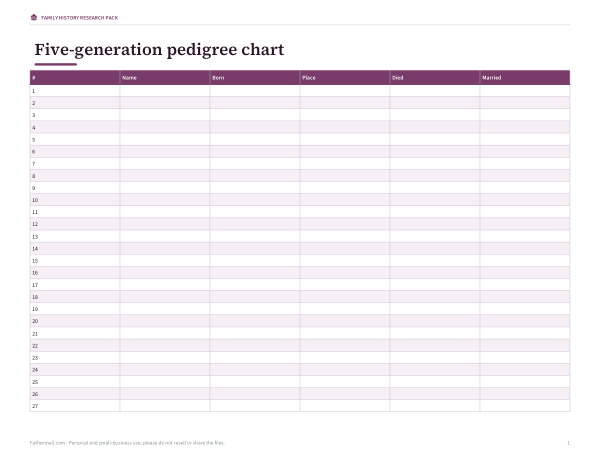
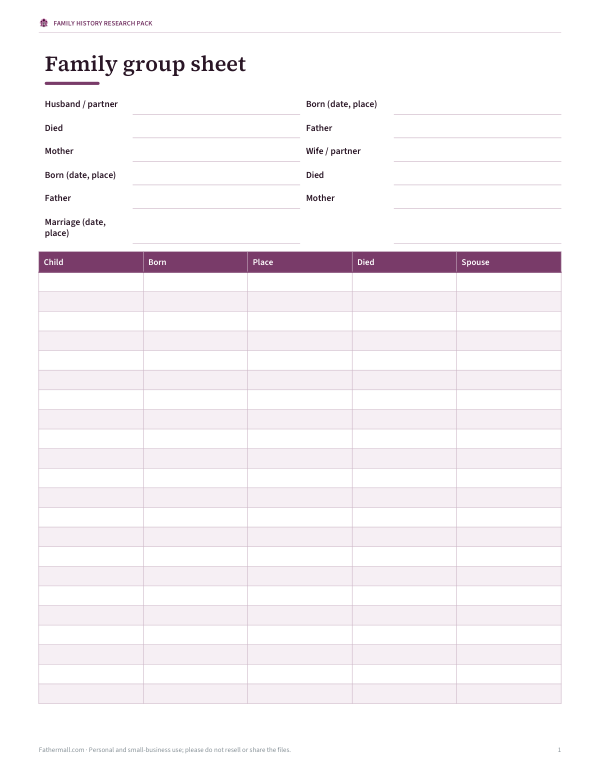
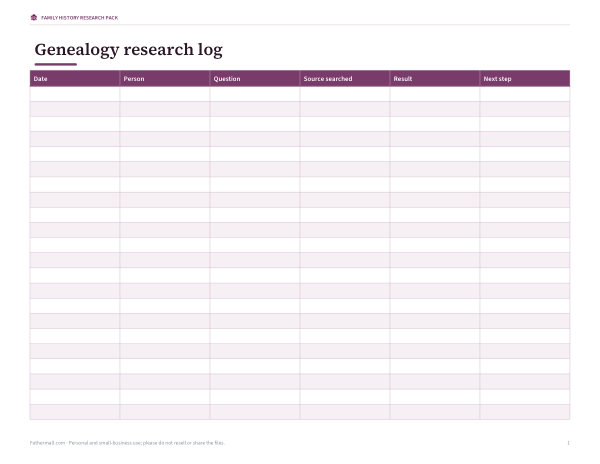
Printable genealogy forms: 5-generation pedigree chart, family group sheet, research log, source citation sheet and a relative interview guide.
- Pedigree chart (PDF)
- Family group sheet (PDF/DOCX)
- Research log (PDF/DOCX/XLSX)
- Interview guide (PDF/DOCX)
Formats: PDF, DOCX, XLSX. Instant download after payment (link valid 72 hours, up to 5 downloads). AI-assisted: the templates were drafted with AI help and reviewed and laid out before publishing.
$3.00 USD, one-time 4 files · about $0.75 each
- Instant download
- 7-day refund
- Secure checkout by Stripe
7-day money-back guarantee. Full refund within 7 days of purchase, even after you download.
Free sample: Family Group Sheet (PDF, 62 KB)
Full refund within 7 days — see the refund policy and license.
Free printables
Single sheets you can print right now, no sign-up. The full pack adds every sheet in one download plus the editable files.
 Printable Family History Interview Guide
Pedigree chart or descendant tree?
| Chart | Shows | Good for |
|---|---|---|
| Pedigree (ancestor) chart | One person and their direct ancestors: 2 parents, 4 grandparents, 8 great-grandparents | Research planning; seeing which lines are missing |
| Descendant tree | A couple and all their children, grandchildren and so on | Reunions, family books, showing cousins |
| Family group sheet | One couple and their children in detail | Recording facts and sources |
| Hourglass chart | Ancestors above and descendants below one person | Combining both views |
Genealogists number pedigree charts with the Ahnentafel system: you are 1, your father 2, your mother 3, and a person numbered n has father 2n and mother 2n + 1. The small numbers on the pedigree chart follow this system.
How to use the maker
- Choose pedigree chart and fill in what you know — name, birth and death years, and a place. Leave unknown boxes blank.
- Or choose descendant tree and type one person per line, indenting children by two spaces under their parents, with a spouse after “+”.
- Put dates or places in brackets after a name: “Carlos Rivera (1948)”.
- Print on Letter or A4 in landscape, or download SVG/PNG.
- Use Save tree file to keep your work, and Open file to continue later.
Nothing is stored online. The saved file is a small text (JSON) file on your own device.
Gathering information
- Start with yourself and work backwards one generation at a time.
- Talk to older relatives early — write down names, dates, places and stories.
- Collect documents at home: birth, marriage and death certificates, family bibles, letters, photographs.
- Search official records: civil registration, census returns, church registers, immigration and military records.
- Record where every fact came from so you can check it later.
Worked example
Maria Rivera fills in her pedigree chart: her parents Carlos Rivera (born 1948, San Juan) and Ann Blake (born 1950, Boston), and her four grandparents with birth and death years. The four great-grandparent pairs on the right stay blank for now — a clear picture of the next research step. For a family reunion she switches to the descendant tree, types her grandparents José and Elena at the top and indents their three children, their spouses and the grandchildren below. The chart prints on one landscape page.
Recording names and dates
| Convention | Example |
|---|---|
| Women by maiden (birth) name | Elena Ortiz, not Elena Rivera |
| Full dates as day month year | 14 Mar 1921 — avoids 03/14 vs 14/03 confusion |
| Approximate dates | abt 1850, bef 1900, aft 1920 |
| Places from smallest to largest | Ponce, Puerto Rico |
| Unknown names | Leave blank or write “unknown” rather than guessing |
Where to find records
| Record type | What it tells you | Where to look |
|---|---|---|
| Birth, marriage and death certificates | Names, dates, places, parents | Civil registration offices; many indexes online |
| Census returns | Households, ages, birthplaces, occupations | National archives; genealogy websites |
| Church registers | Baptisms, marriages, burials before civil registration | Parish or diocesan archives |
| Immigration and passenger lists | Arrival dates, origins, ships | National archives; port records |
| Military records | Service details, physical descriptions, next of kin | Defence and national archives |
| Wills and probate | Family relationships and property | Probate registries |
| Newspapers | Obituaries, announcements, stories | Library and newspaper archives |
Availability differs by country and period, and privacy rules often restrict recent records. Local libraries and family history societies can help you find where records are kept.
Checking what you find
- Look for at least two independent sources for each important fact.
- Be wary of copying other people’s online trees without checking their sources.
- Watch for common names — two people called John Smith in the same town is normal.
- Spellings changed over time and between records; search variations.
- Record conflicting information rather than discarding it, and note why you prefer one version.
Making a chart for a reunion or gift
A printed descendant tree makes a good reunion display or gift. Keep it to three or four generations so names stay readable, use the same format for everyone (full name and birth year works well), and ask relatives to check their own details before you print a final copy. For a large family, print one chart per branch and a small overview chart that links them.
Privacy and living relatives
Be careful when sharing trees that include living people — birth dates and places are used for identity checks. Many genealogists share only deceased relatives publicly and keep living people private. This maker never uploads anything, but think about who will see a printed or shared chart.
Going further
Standard genealogy software uses the GEDCOM format to exchange trees. When your tree grows beyond a few generations, a dedicated program or website will help manage sources and relationships; this maker is ideal for quick, attractive charts to print and share.
Frequently asked questions
How do I make a family tree for free?
Fill in the pedigree form or type an indented list, then print or download the chart.
What is a pedigree chart?
A chart showing one person’s direct ancestors — parents, grandparents and beyond.
How do I show spouses?
In the descendant tree, add the spouse after a “+” on the same line.
Can I save my tree?
Yes — download the tree file and open it again later.
Is my family information uploaded?
No. Everything stays in your browser.
What are the numbers on the pedigree chart?
Ahnentafel numbers: father = 2n, mother = 2n + 1.
How many generations can I show?
The pedigree chart shows four generations; the descendant tree can show as many as fit on the page.
Can I add photos?
Not in this maker — print the chart and add photos around it, or edit the SVG in a graphics program.